
DMX can coordinate supported Halloween display devices with a show-control system, but a DMX label does not establish that every motion, light or sound function is controllable. Before purchase, obtain the device's channel map, operating modes and documented response to signal loss. Define which organization owns programming and commissioning.
A retail pumpkin display may need a simple lighting cue. A haunted scene may need several supported devices to start together. A character marketed as an animatronic may use a separate trigger input and have no DMX interface at all. Buyers should identify the proposed system rather than infer capability from the product category.
This guide explains a procurement brief for DMX Halloween prop integration. It does not provide electrical wiring instructions or claim BooAri products support DMX by default. The supplier and qualified integrator should confirm the exact hardware, documentation and operating responsibilities before a project is approved.
Identify what the show must control
List the desired functions in plain language: start a character sequence, dim a supported light, select a sound or change a display mode. Ask which functions are available on the proposed model and through which interface. A product might accept a start cue while its internal sequence remains fixed.
Separate control of a device from coordination of a scene. The venue may need several devices to respond to a common cue, but they can still have different recovery times and operating limits. A show-control arrangement cannot make an unsupported product behave as though it has another mechanical or electrical capability.
Provide a cue outline with the intended visitor moment. The integrator needs to understand whether timing accuracy, manual override or simple repeated playback is the priority. Avoid beginning with a hardware shopping list before the creative and operational requirements are defined.
Define the boundary of the supplier quote
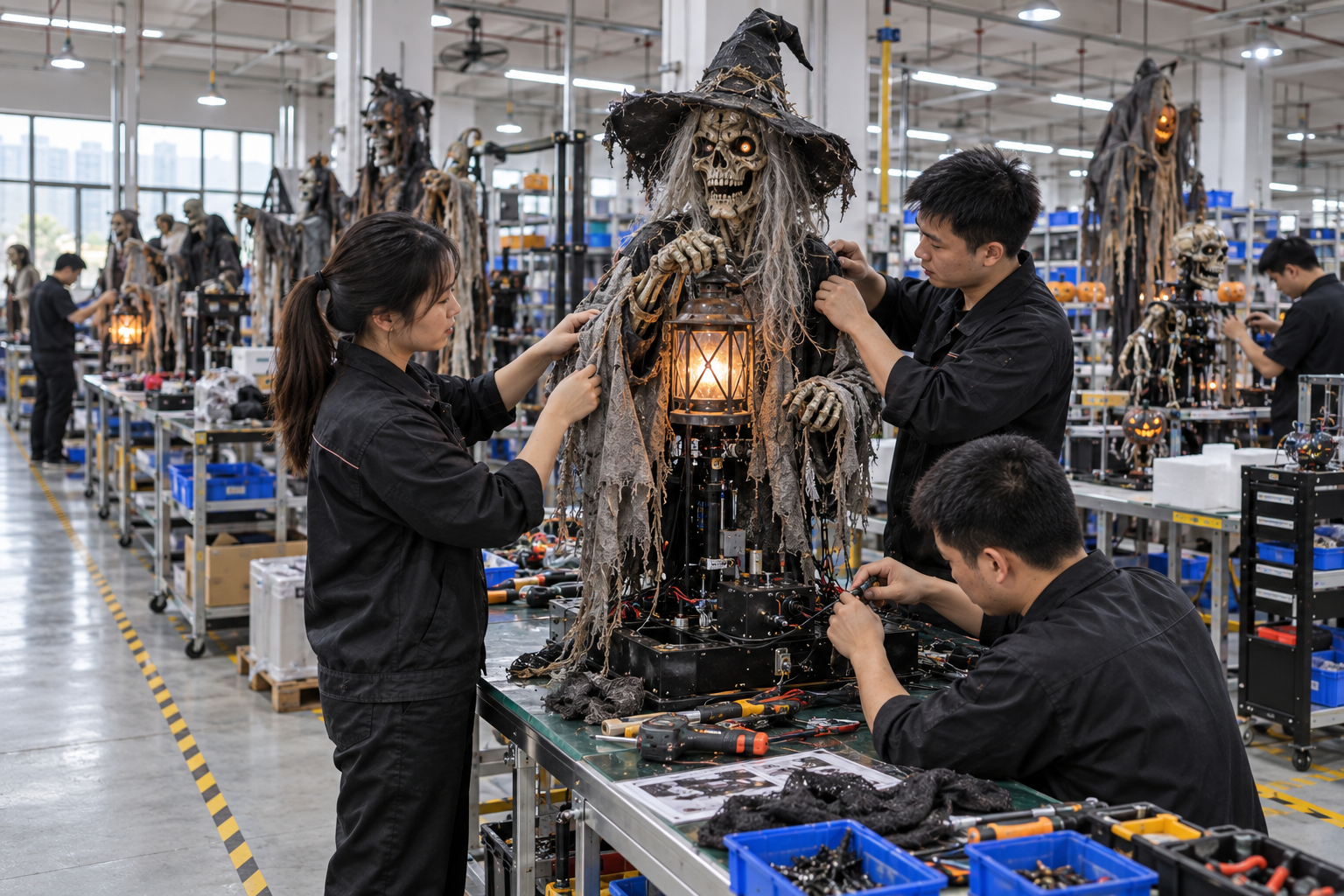
Specify whether the quote covers the prop only, a supported interface, cables, programming or site commissioning. A factory demonstration of one device does not include installation of an entire attraction system unless that scope is explicitly agreed. Name the party responsible for each handoff.
Obtain a channel map for the actual configuration
A channel map describes the supported controls and value ranges for a device mode. Request the manufacturer's document for the proposed model and firmware or configuration revision. Do not use a map from a similar-looking product unless the manufacturer confirms it applies.
Ask which mode will be used. Devices can offer more than one footprint or control mode, and the selected mode affects addressing and programming. The commissioning record should identify that mode so another technician can reproduce the approved behaviour.
The buyer does not need to invent channel values. It needs to ensure the integrator receives the correct documentation and can demonstrate the requested function. If a function is unavailable, resolve that gap before product selection is final rather than expecting site programming to create it.
Keep addresses and device identity traceable
Create a device schedule with item name, physical location, mode and assigned control information. The system integrator should check how addresses are allocated and whether devices are intentionally linked or independently controlled. This record is especially useful when several identical characters are installed in different zones.
Label the physical devices and keep the labels consistent with the show file and installation drawing. A cable label that says 'witch' is ambiguous when the scene contains three witches. Give each device an identifier that staff can use without knowing the complete programming system.
Record replacement assumptions. A replacement device may require the same mode and address to work as expected, but matching those values alone does not prove hardware compatibility. The manufacturer and integrator should confirm the complete replacement configuration.
Agree cue ownership and change control
Decide who builds the show sequence, who approves it and who can change it after opening. Creative staff may specify timing; technical staff implement the supported behaviour; operations staff decide how the venue uses the finished system. These responsibilities need a shared record.
Describe expected response to an interrupted cue, repeated command and startup. A function can look correct during a clean demonstration yet behave differently when a system restarts mid-scene. Ask for the relevant behaviour to be shown with the actual device and supported control method.
Keep the accepted show file and configuration in a controlled location. A later technician should be able to identify the version in use and the reason for a change. Avoid relying on an unnamed laptop file as the only record of the scene the buyer approved.
Specify manual operating options
Ask whether an operator can start, stop or present the scene in a supported alternative mode. The manufacturer and venue should define the actual functions and limitations. A DMX interface is not automatically a safety system, and a show-control article should not imply it replaces product-specific operating procedures.
Review signal routing with the integrator
The physical control route needs a plan: device positions, cable access, permitted connection arrangements and protection from routine visitor or staff activity. The integrator should select components and routing according to manufacturer documentation and the actual venue.
The ENTTEC DMX guidance is a manufacturer source for foundational system concepts. Its termination guidance explains why termination is considered at the end of a supported line or branch. Use the relevant hardware documentation for implementation rather than treating this article as a wiring specification.
For scenery, preserve access to connections. A hidden cable can be visually desirable while an inaccessible connector makes diagnosis difficult. Discuss practical maintenance points during layout approval so the integrator does not need to dismantle a large prop to check a routine interface.
Discuss a custom scene with BooAri using a cue outline and device schedule. The product collection provides visual starting points; confirm interface support for each proposed item before planning the show around it.
Specify startup and loss-of-signal behaviour
Ask what each device does when powered on, when control is absent and when communication returns. These behaviours may be defined by the manufacturer, a selected mode or a configuration setting. The venue needs to know what normal startup looks like and whether staff action is required.
A device that retains its last command presents a different operating situation from one that returns to a specified state. Do not assume which behaviour is preferable without the product and site context. Have the manufacturer and integrator identify the supported response and the venue approve how it fits the operating plan.
Include these conditions in the acceptance demonstration where appropriate. A system should not be approved only on its best uninterrupted playback. Observing a planned restart and documented signal interruption can reveal an incomplete handoff before the venue opens.
Test a representative scene rather than an isolated effect
A device-only factory test can show supported functions and provide useful evidence. A representative integration test should also show the proposed controller, mode and cue sequence. State which test is being offered and which site conditions remain to be commissioned.
Observe timing relationships between devices. If a light cue reveals a character before it reaches the intended position, adjust the supported sequence or creative plan. If a sound begins after the visitor has left, review start and recovery logic. The issue may be cue design rather than device failure.
Record the accepted result with device identifiers, software or configuration version and relevant settings. The video should demonstrate the actual scope being approved. Avoid editing away resets or exceptions if those behaviours are material to the purchasing decision.
Plan replacements and recovery records
List the components the venue can replace according to manufacturer instructions and those that require technical service. Keep device documentation, configuration and spare-part references together. Similar appearances do not guarantee the same channel map or internal behaviour.
Before ordering spares, ask what must be configured before they enter service. A replacement shipped without the required settings can create extra site work during a busy period. The support plan should include the source of configuration records and the authorized process for applying them.
For seasonal storage, preserve labels and documentation when connections are removed. On reassembly, confirm the device schedule and conduct the relevant commissioning checks. The unchanged sculpture may hide a changed cable route or configuration that affects the whole scene.
Compare integrated control with a simpler alternative
DMX can be useful when the project needs coordinated supported functions and has an integrator to manage the system. A stand-alone controller or operator-triggered prop may be sufficient for a single effect. Compare staffing, commissioning, support and future changes alongside the visual objective.
An integrated proposal should explain the benefit in the buyer's terms. It might reduce independent timing adjustments or support one coordinated reveal. It should not promise that control complexity automatically makes the attraction more effective. The visitor experience still depends on placement, viewing time and the selected props.
Use a scope comparison with one row for each required function and one for each operational responsibility. Mark supported, confirmed and unresolved items separately. This makes the purchase decision reviewable without turning it into a catalogue of technical abbreviations.
Buyer worksheet: make the control interface testable
Ask the supplier for an interface schedule listing every device expected to receive or send DMX information. Include whether DMX is actually supported by the proposed controller, the channel footprint, addressing method, connector and any gateway required. A prop described as DMX compatible may expose only a simple on/off input or may require additional hardware. The written schedule prevents the buyer from assuming a capability that was not included in the quoted configuration.
Create a cue map with the venue integrator. For each cue, identify the intended visible action, sound or light change, the owner of the cue and the state after it finishes. Record what happens on loss of signal, power restart and an unexpected repeated command according to the manufacturer's supported behaviour. Do not treat this article as a wiring guide: trained show-control personnel should design the installed network and validate applicable electrical requirements.
ENTTEC's DMX basics explains the protocol concepts. Its termination guidance illustrates why the physical installation matters as well as the channel map. These references help buyers ask competent integrators specific questions; they do not prove that a supplier's product implements every DMX feature. Request a complete interface demonstration with the identified controller revision.
At factory acceptance, capture the agreed cues and failure response with the listed equipment. At site commissioning, verify the actual cable route, addressing, cue ownership and interaction with other effects. Retain the final channel map and configuration backup with the venue's technical records. A replacement controller or later scene change should trigger a review of that record before public operation.
Questions to close with the show integrator
Confirm the proposed controller is actually supplied in the quotation and that its documented DMX interface matches the planned system. Request channel mapping, address range, connector information and the supported behaviour on signal loss. Agree which party creates cues and who keeps the final configuration file.
Stage an integration test with identified equipment before dispatch where possible. Demonstrate the agreed scene cues and the response to a repeated command. Record limitations: a factory rig may not include the venue's full distribution network or all neighbouring devices. The site integrator should then commission the final installation with the actual cable route and addresses.
Keep show-control documentation with spare and revision records. A controller replacement can change settings even if the prop looks identical. Before the next season, verify that the stored cue map matches the delivered product configuration. The buying team needs a supported interface, not a generic compatibility label.
Decision example: a prop on a shared show network
Consider a fictional venue that plans to connect a talking character to its lighting controller. The supplier's sample video shows the character moving, while the venue assumes DMX will start the motion, switch lights and synchronize audio. The quotation says DMX compatible but does not identify an interface or channel map. These assumptions are not yet an orderable specification.
The buyer asks the supplier to name the exact controller revision and supported input. The show integrator identifies which cues the venue owns and which remain inside the prop. They create a small acceptance script: issue the start cue, observe the full action, repeat the cue during reset, disconnect the agreed signal and restore it. Expected behaviour is written before testing, including any limitations. This avoids treating a successful single activation as full integration proof.
After factory testing, the integrator receives the documented channel map and configuration record. Site commissioning still checks the actual addressing and physical network. A later controller replacement refers to the same record. The scope is now clear enough to price, test and support without claiming that every DMX system works automatically with every prop.
Frequently asked questions
Are Halloween animatronics normally DMX compatible?
Do not assume compatibility from the category. Ask for the proposed model's interface documentation and supported functions. Some products may use separate trigger inputs or internal controllers. The manufacturer should confirm the exact configuration before an integrator designs the scene around DMX commands.
What is a channel map used for?
It describes how the device's supported functions are controlled in a selected mode. The integrator uses it to configure the system. The buyer should obtain the correct document, identify the mode and preserve the accepted configuration. A map for another model is not reliable evidence of compatibility.
Does a factory video prove the entire show works?
Only within the demonstrated scope. A single-device video may verify visible functions, while an integration trial needs the proposed controller and cue arrangement. Site commissioning checks the installed environment. Keep those stages separate in the quote and state which organization is responsible for each.
When is a simpler controller preferable?
When the required effect is limited and the venue does not need coordinated supported control across several devices, a simpler arrangement may be practical. Compare the complete operating and support needs. Ask the supplier to demonstrate the available alternative rather than assuming a system can be simplified without changing behaviour.
Conclusion
A successful DMX purchasing brief defines supported functions, channel documentation, cue ownership and commissioning scope. Verify the actual hardware and preserve configuration records. The interface should serve the visitor experience and operating team, with its limits understood before the project reaches the venue.
Send BooAri your scene outline, control requirements and integration responsibilities. Request model-specific interface confirmation and an acceptance demonstration matched to the quotation. Use the enquiry form to identify which functions your technical partner needs to evaluate.
Further reading
Use these external resources alongside your local market, venue and professional safety requirements:
READY TO START A PROJECT?