
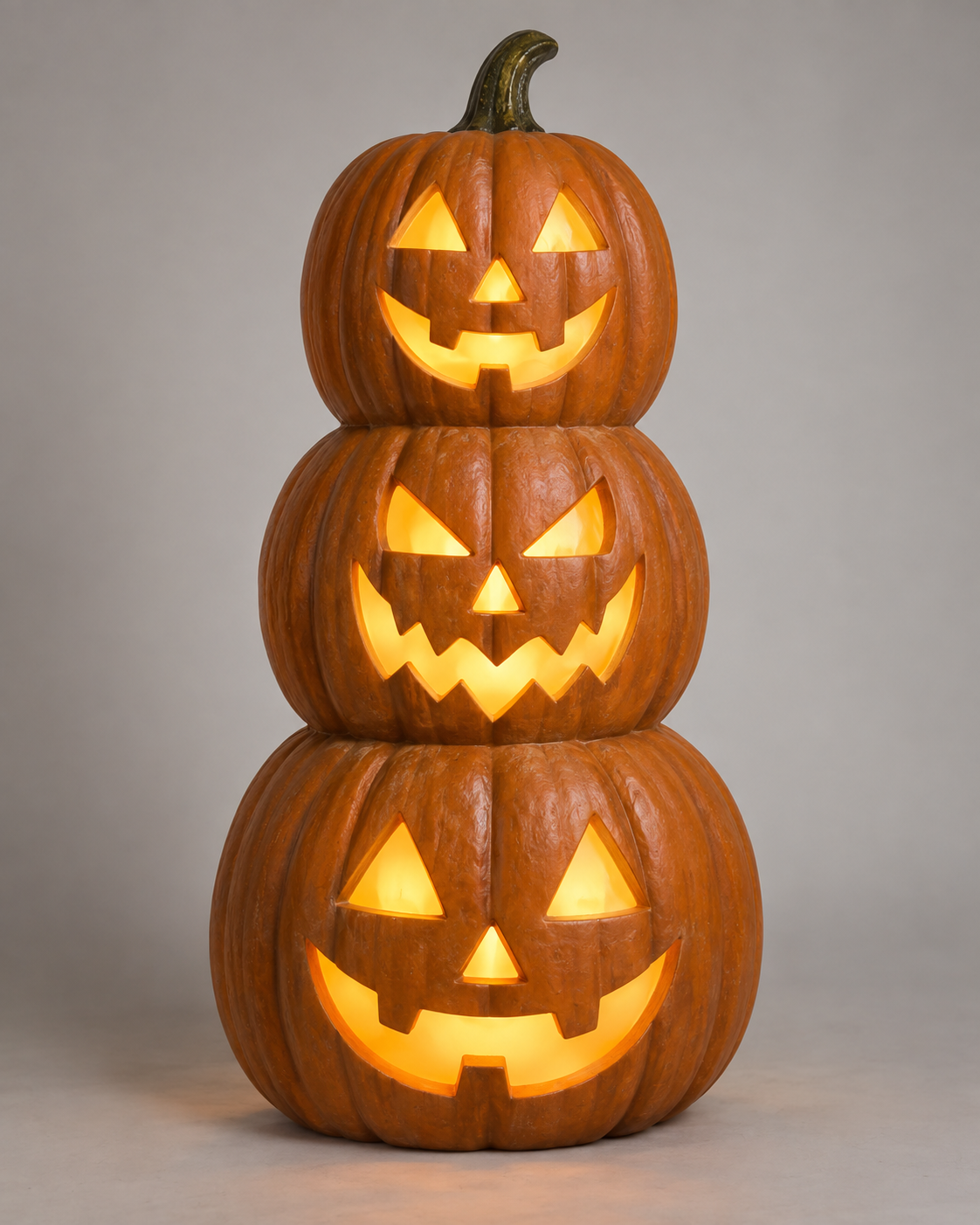
Family friendly Halloween photo zone props need a different brief from a horror attraction. The goal is usually a welcoming, recognizable seasonal scene that visitors can enter, understand and photograph without uncertainty about where to stand or what will happen.
Non-scary is not a complete product specification. A smiling face can still be unsuitable if it suddenly moves close to visitors, blocks a route or creates confusing sound. Buyers should describe visual character, interaction and the intended audience together.
This guide helps retailers, shopping-centre teams and event buyers select a Halloween photo-zone configuration. It does not claim that any design will suit every child or visitor. Audience response varies, and the venue must review safety, accessibility and operation for its own setting.
Define the audience and photo activity
Start with the expected use: quick individual photographs, family groups, hosted sessions or a walk-through backdrop. Each needs a different arrangement. A scene built for one person may frustrate groups, while a wide backdrop may need more lighting and operating space.
Identify whether visitors enter the scene or remain in front of it. Define intended contact, if any, and whether the product is suitable for that contact. A scenic chair or decorative pumpkin should not be treated as seating or a climbing object merely because it appears in a photograph.
Record the range of viewing positions and visitor heights to consider. Use venue input and actual trial participants where appropriate. Avoid designing every feature around a single standing adult photographed from a carefully chosen angle.
Describe the desired emotional tone with concrete references. Friendly expressions, familiar seasonal shapes and a playful story provide a stronger direction than cute. Also identify imagery or behaviour the venue wishes to avoid, such as threatening movement or unexpected sound.
Choose approachable characters deliberately
Halloween approachable character selection includes expression, posture, scale and surrounding scenery. A large character leaning toward the visitor can feel different from the same face positioned behind a backdrop. Evaluate the complete composition rather than approving isolated product thumbnails.
Use silhouettes that remain recognizable from the public approach. Pumpkins, friendly ghosts and playful witches can communicate the season without graphic detail, but their treatment still matters. Ask for front, side and ordinary viewing photographs of the proposed configuration.
Do not equate family-friendly with cheaply made or visually plain. Texture, layered scenic details and warm storytelling can create an engaging scene without relying on aggressive effects. Spend the budget on features that contribute to the visitor's photograph and experience.
If the display uses several characters, establish visual hierarchy. One principal feature can anchor the photograph, while smaller accents support it. Too many competing faces or signs may make the result busy and reduce the visibility of people in the frame.
Plan framing before buying components
Halloween visitor photo framing should be tested from likely camera positions. Mark where the visitor stands and where the photographer waits. Check whether the scene remains legible in portrait and landscape orientations without requiring people to step into a circulation route.
Include ordinary phone-camera trials rather than relying solely on professional promotional imagery. Automatic exposure can change a dark backdrop or bright accent. The finish-approval guide explains why material appearance should be reviewed in the actual lighting context.
Check the background behind faces. A decorative element that looks attractive alone may appear to emerge from a visitor's head in the photograph. Move or resize it during the mockup rather than accepting an avoidable composition issue after production.
Decide whether branding belongs in the backdrop, on a small sign or outside the main photo frame. Avoid crowding the scene with sales copy. The buyer's marketing team should approve brand assets and any permissions before the supplier reproduces them.
Specify static and moving behaviour separately
A Halloween non scary commercial display may work well as a static scene. Movement is optional, not an automatic upgrade. If an animatronic is proposed, define the motion, timing, audience distance and how visitors know what to expect.
Unexpected activation can change a welcoming scene into a startle experience. Consider whether movement should be continuous, operator-controlled or clearly signalled. The venue should review the intended interaction and establish appropriate operating boundaries.
Sound also needs a purpose. A gentle greeting may support the story, but repeated playback can become tiring for staff and waiting visitors. Review audio zoning and ensure operators can use the supported controls to adjust or pause entertainment audio.
Ask whether a quiet or static mode is available and what it changes. Confirm the manufacturer's intended procedure rather than disconnecting components informally. A supported alternative can broaden the venue's scheduling choices without claiming universal suitability.
Separate scene footprint from operating space
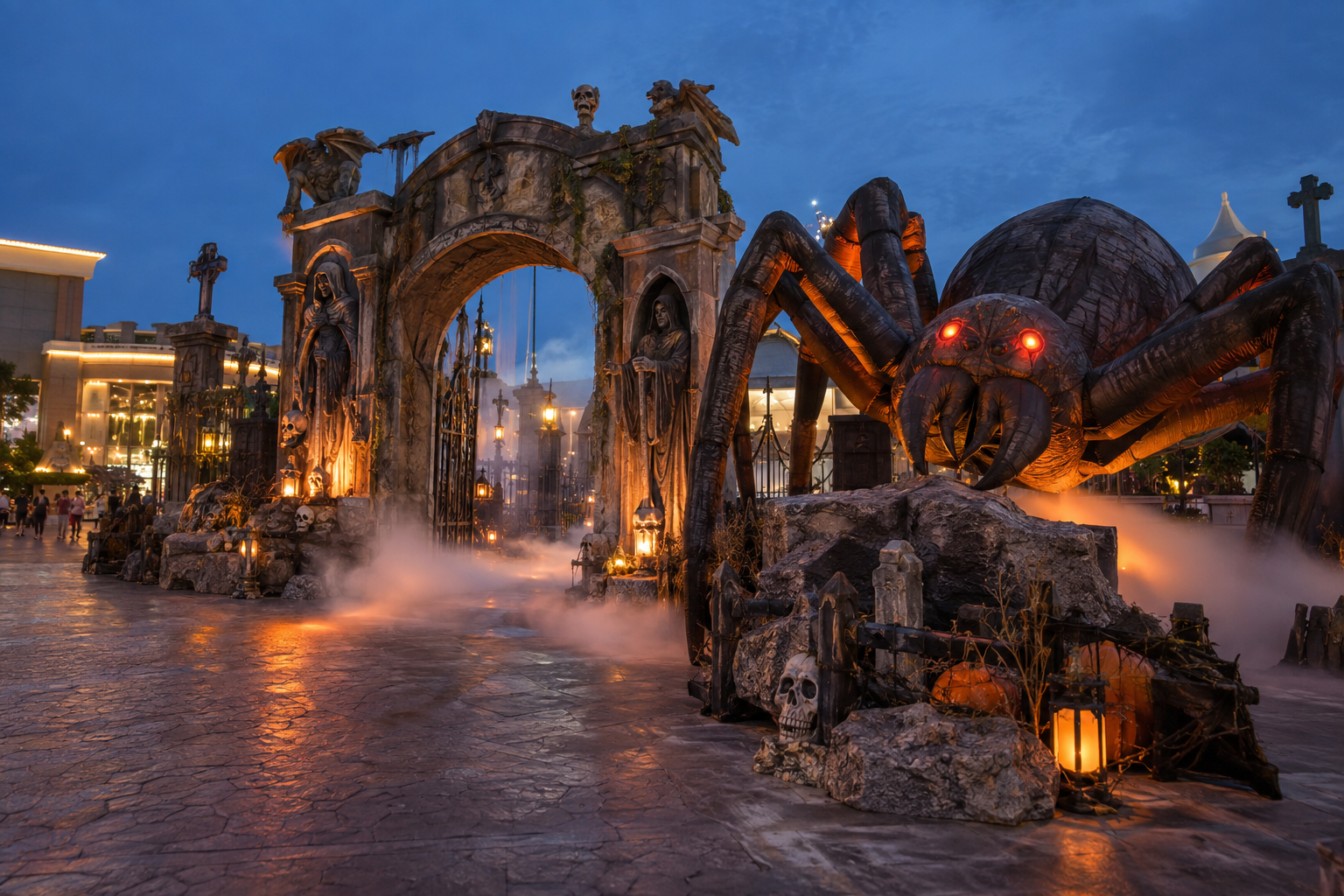
Halloween photo zone space planning includes more than product dimensions. Allow for the intended visitor position, photographer, waiting group, staff access and relevant technical areas. The venue's competent team should determine routes and clearances for the actual site.
Document movement envelopes where applicable. A scenic body at rest may occupy less space than it does during operation. Request the supplier's relevant dimensions and installation information rather than relying on catalogue height alone.
Consider arrival and departure. Visitors should understand how to enter the photo position and leave without crossing the next group unnecessarily. A small sign or host may help, but it should not compensate for a fundamentally confusing layout.
Review access needs early. The accessible-display brief provides planning questions, and ADA.gov's design standards are an official US reference for applicable projects. Local requirements and qualified review determine compliance; a prop purchase does not certify the whole installation.
Ask for a realistic scene mockup
A mockup can use marked positions, representative parts or a sample assembly. Its purpose is to reveal framing, access and visual balance before production. It should distinguish actual supplied components from temporary stand-ins and proposed additions.
Use a complete view showing the floor relationship and likely public approach. Close-up detail photographs are useful, but they do not establish whether people fit comfortably in the composition. Ask for the proposed configuration with key dimensions and identified viewing positions.
Where visitors are shown, ensure the image honestly represents a trial or clearly labelled illustration. AI-generated imagery can communicate a concept but cannot demonstrate tested visitor response or actual installation dimensions. Keep concept images separate from approval evidence.
For factory testing, focus on the agreed functions and assembly. Venue suitability still needs installation preparation and local review. Record what has been demonstrated and what remains an on-site responsibility before shipment release.
Prepare an operating and care plan
Define who checks the scene before opening, manages the waiting area and responds to an issue. A hosted photo zone may support visitors differently from an unattended display. Do not assume the product itself communicates all operating rules.
Provide staff with approved instructions for normal operation, pause or stop controls where relevant, and problem reporting. Identify tasks reserved for technical personnel. A simple operator sheet can be more useful than a long manual that is unavailable during the event.
Include surface care based on the product's intended use. If visitors may touch specific areas, confirm suitability and obtain material-specific instructions. Do not infer a hygiene claim from an easy-clean description or a successful visual wipe trial.
Plan maintenance access without dismantling the public route unnecessarily. Props hidden behind a beautiful backdrop still need supported servicing and safe handling. Ask where access panels, connections and removable costume pieces will be located in the finished scene.
Example: a pumpkin-family photo scene
Imagine a hypothetical shopping centre requesting a pumpkin-family scene for daytime trading. The brief specifies a welcoming seasonal tone, group photographs and no surprise activation. It does not assume that a particular design has been approved by every family audience.
The first layout places three similar-size characters behind the visitor position. A phone-camera mockup shows that one face is hidden by adults and another dominates the centre of the picture. The team changes the hierarchy: one principal pumpkin, two smaller accents and a clearer space for visitors.
The supplier proposes an optional moving hand. The buyer decides that the visual benefit is limited for a short photo interaction and selects the static configuration. This is a deliberate product-application choice, not a judgement that movement is always inappropriate.
The venue reviews photographer position, waiting arrangements and access. A seated viewing trial identifies that a decorative sign blocks part of the backdrop. The sign is relocated before the sample is frozen, avoiding a late production change.
The approval package includes the layout, supplied components, finish references and operating assumptions. Installation staff receive the same configuration record. Marketing imagery remains clearly separate from evidence of actual assembly and venue review.
Compare proposals by usable experience
For Halloween family event scene props, compare complete configurations rather than counting decorative pieces. Ask how each proposal supports the intended photograph, route, operating mode and storage plan. An extra character is not necessarily more valuable if it reduces usable space.
Separate optional features and their requirements. Lighting, sound, mounting, signage and installation may be supplied by different parties. The quotation should explain inclusions and identify what the venue must provide.
Request product-specific dimensions, assembly guidance and a sample or mockup plan proportionate to the project. State that audience tone and venue suitability remain subject to the agreed review. Avoid guarantees such as universally loved by children that cannot be substantiated.
Use BooAri's custom-project enquiry to send the venue plan, intended audience and visual references. The product collection can provide starting directions, but the final selection should follow the scene brief rather than catalogue imagery alone.
Buyer worksheet: test an ordinary family photograph
Mark the visitor positions, likely camera positions and the supplied scene footprint on a simple layout. Use ordinary phone cameras for a trial because that is how many guests will document the display. Photograph one person and a group, with the actual or representative lighting. Check whether the main character remains visible, whether decorative features appear awkwardly behind faces and whether the photographer must stand in a circulation route. This is a composition and space test, not a promise about visitor satisfaction.
Review the proposed character at different approach points. A friendly face viewed from the front may read differently from the side if a large arm, dark mouth or motion effect dominates. Ask for views of all visitor-facing sides and the supported movement envelope. If the venue wants no surprise activation, record that as an operating requirement and verify the supplied configuration. A smiling catalogue image does not establish the behaviour of a triggered animatronic.
Put intended visitor contact in writing. If visitors may touch a certain element, ask the supplier for product-specific information and involve the venue's competent team in the use decision. Decorative bases are not automatically seats, steps or barriers. For a hosted scene, give staff a simple description of where visitors should stand and how to pause the effect when required. Keep accessible viewing and alternate interaction considerations in the venue review.
Finally, approve the complete scene rather than an isolated prop. The backdrop, signage, lighting and queue position can each change the photograph. Record what the supplier provides and what the venue installs. Label concept images as illustrations and retain actual sample evidence separately. This lets purchasing compare proposals by usable visitor experience and installation scope.
Questions to close before freezing a photo scene
Ask the marketing and venue teams to approve the same layout. A brand-friendly photograph may require visitor standing space that the venue's circulation plan does not permit. Review actual camera positions, scene footprint and the intended waiting pattern together.
Request sample views from front and side in the expected lighting. If the product includes movement, observe the whole action and decide whether the tone remains suitable for the planned audience. Document any supported quiet or static mode in the supplied configuration.
Clarify contact expectations. Visitors may lean, touch or sit where the scene appears inviting. Tell the supplier the intended use and obtain product-specific information; do not infer structural function from appearance. Keep operating instructions, staff roles and care guidance with the final scene handoff.
Decision example: a photo area in a busy atrium
Imagine a fictional mall with a friendly witch and pumpkin backdrop. The product drawing fits the allocated floor square, but a mock photograph requires the camera operator to stand in the main circulation path. The problem is not the character's dimensions alone; the experience uses more space than the physical prop.
The venue and buyer try a revised angle and a shallower scenic base. They check group photographs, a seated visitor position and the waiting area. The supplier updates the supplied dimensions and finished-side presentation. The venue reviews the route again. A concept image of the new arrangement helps communication, while measured drawings and a representative setup support approval.
The final order states whether the scene is static, what visitors are expected to touch and which signs the venue supplies. Staff receive a photo-position plan and an exception route if the area becomes crowded. Buying the smaller scene may be a better commercial decision than buying the most visually elaborate prop that cannot be used in its assigned location.
Frequently asked questions
Does family-friendly mean the display must be static?
No, but movement should have a clear purpose and a defined operating mode. Evaluate surprise, sound, audience distance and venue procedures. A static alternative may be useful; confirm it is supported rather than modifying equipment informally.
Can a catalogue photograph establish photo-zone fit?
Not by itself. Review product dimensions, visitor and photographer positions, likely camera framing and surrounding routes. A representative mockup can reveal issues that isolated product images do not show.
Are decorative seats suitable for visitors to sit on?
Only if that use is explicitly supported and reviewed for the actual product and installation. Do not infer seating, climbing or load suitability from appearance. State intended contact in the enquiry and obtain appropriate information before approval.
What should a buyer send to start a proposal?
Send the scene footprint, venue route, audience, photo activity, tone references and desired operating mode. Include branding and delivery requirements. These details support a scoped proposal rather than a generic collection of Halloween decorations.
Conclusion
An effective family photo zone combines approachable imagery with practical framing and operation. Select props for the intended activity, test ordinary camera views and review access before ordering. Keep audience suitability and product capabilities explicit rather than implied by a smiling character.
Send BooAri your venue layout, family-audience brief and preferred scene style through the enquiry form. Ask for a configuration proposal with dimensions, operating assumptions and a representative photo-framing review.
Further reading
Use these external resources alongside your local market, venue and professional safety requirements:
READY TO START A PROJECT?